
Build a 3D model of your factory, warehouse, or process, then run the simulation to see throughput, bottlenecks, and layout changes before committing capital.
- Autodesk Platinum Partner
- 30+ years in business
- US & CA support
Test the change before you build it.
FlexSim models production, logistics, and material handling systems in 3D, then runs discrete-event simulations so you can compare layouts, staffing, and equipment decisions against real data instead of guesswork.
- Drag-and-drop 3D modeling of facilities and processes
- Discrete-event simulation with flow and object-based logic
- Built-in experimenter for scenario comparison and optimization
- Runs on Windows 10 and 11
What you get with FlexSim
3D facility modeling
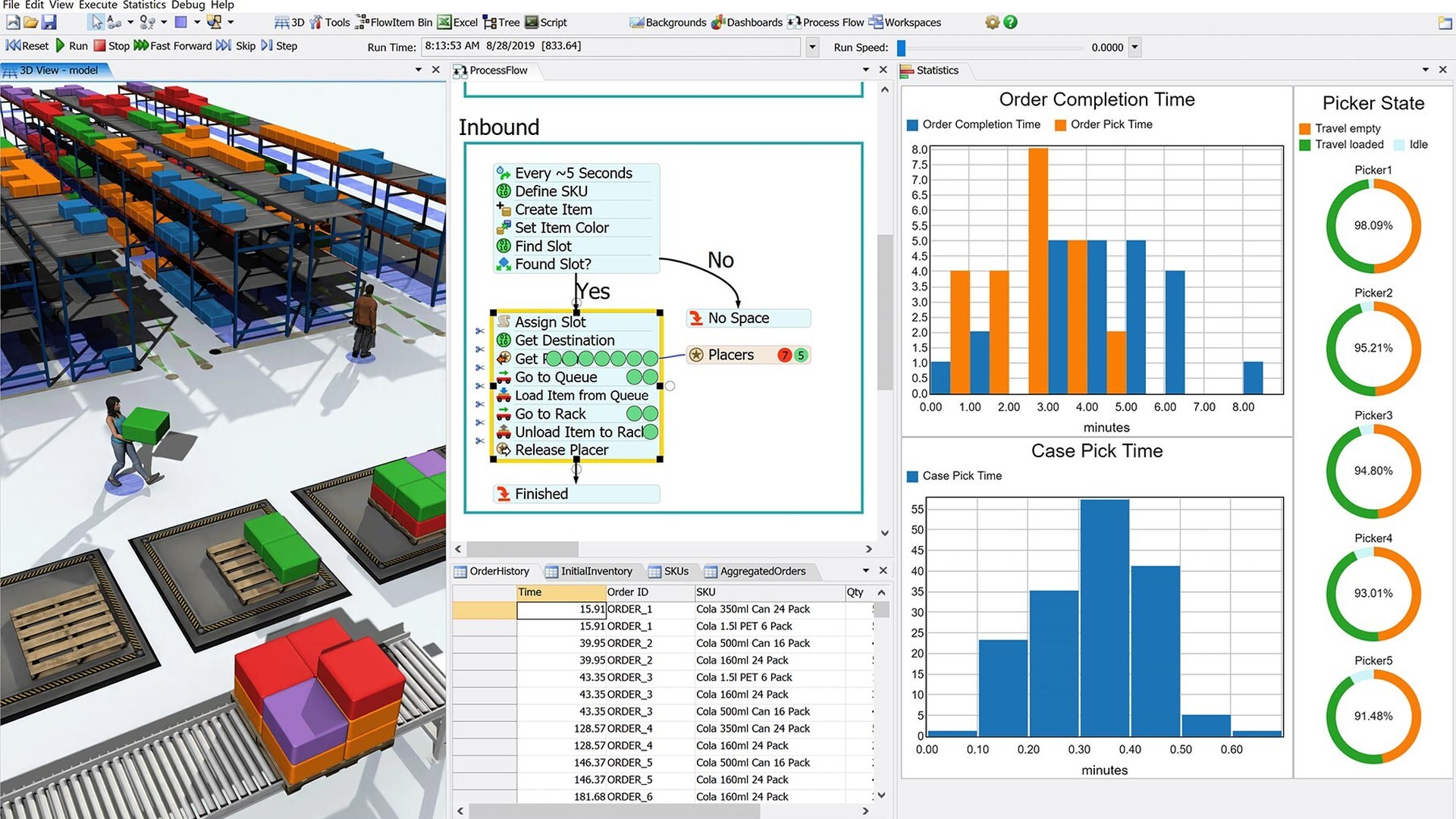
Lay out conveyors, racking, machines, and AGVs in a drag-and-drop 3D environment built from a library of pre-configured objects.
Discrete-event simulation
Model how items, orders, and resources move through time, so you can see queues, bottlenecks, and idle equipment before they cost you.
Flow and object-based logic
Build process logic with no-code ProcessFlow diagrams or drop in pre-built objects for conveyors, AGVs, and pick stations.
Scenario experimenter
Run hundreds of what-if scenarios automatically and compare cost, throughput, and utilization to find the layout that performs best.
Statistics and dashboards
Track order completion time, picker utilization, and case pick time on built-in dashboards as the simulation runs.
GIS and supply chain modeling
Bring in real-world maps and distances to model multi-site logistics and supply chain networks alongside a single facility.
Key capabilities
- Model before you build: Test layout changes, new equipment, or staffing levels in a 3D model first, so capital decisions are based on simulated results, not assumptions.
- Find the bottleneck: Discrete-event simulation accounts for variability and timing that a spreadsheet cannot, showing exactly where a process backs up.
- Optimize with the experimenter: Run automated experiments across variables like staffing, buffer size, and equipment count to find the combination that hits your targets.
- Works with your other Autodesk tools: FlexSim interoperates with AutoCAD, Inventor, and Revit, so facility and product data carry into your simulation instead of being rebuilt.
Is FlexSim right for your team?
| Best for | Simulating factories, warehouses, and logistics before committing to layout or equipment changes |
|---|---|
| Platforms | Windows 10 and 11 (64-bit); no native Mac or Linux version |
| Included | 3D modeling environment, ProcessFlow logic builder, experimenter, and GIS module |
| File format | Native .fsm model files |
| Licensing | Annual subscription through Autodesk's standard licensing |
| From DSI | Deployment help, certified training, and local technical support included |
A subscription is just the start
Buy FlexSim through DSI, an Autodesk Platinum Partner. Get deployment help, certified training, and support from specialists who use the software every day.

Frequently asked questions
What is FlexSim used for?
FlexSim is discrete-event simulation software for modeling factories, warehouses, and logistics operations in 3D. Teams use it to test layout changes, staffing levels, and equipment decisions before spending capital.
Is FlexSim made by Autodesk?
Autodesk acquired FlexSim in 2023. It is sold and licensed as Autodesk FlexSim, and now runs on Autodesk's standard licensing and sign-in system.
Does FlexSim run on Mac?
No. FlexSim requires Windows 10 or 11 (64-bit). There is no native Mac or Linux version.
How is FlexSim different from a spreadsheet model?
Discrete-event simulation accounts for time, variability, and the relationships between resources in your system, showing bottlenecks and queues that static spreadsheet math misses.
Does FlexSim work with AutoCAD, Inventor, or Revit?
Yes. FlexSim has interoperability with AutoCAD, Inventor, and Revit, so facility layouts and product data can carry into a simulation model.
Get in touch with our team today!
Talk to a DSI specialist about FlexSim licensing, bundles, and training built around how your team works.