
Simulate how plastic fills, packs, cools, and warps before you cut steel. Test part and mold designs against real material behavior and catch defects while changes are still cheap.
- Autodesk Platinum Partner
- 30+ years in business
- US & CA support
See the mold fill before you build it.
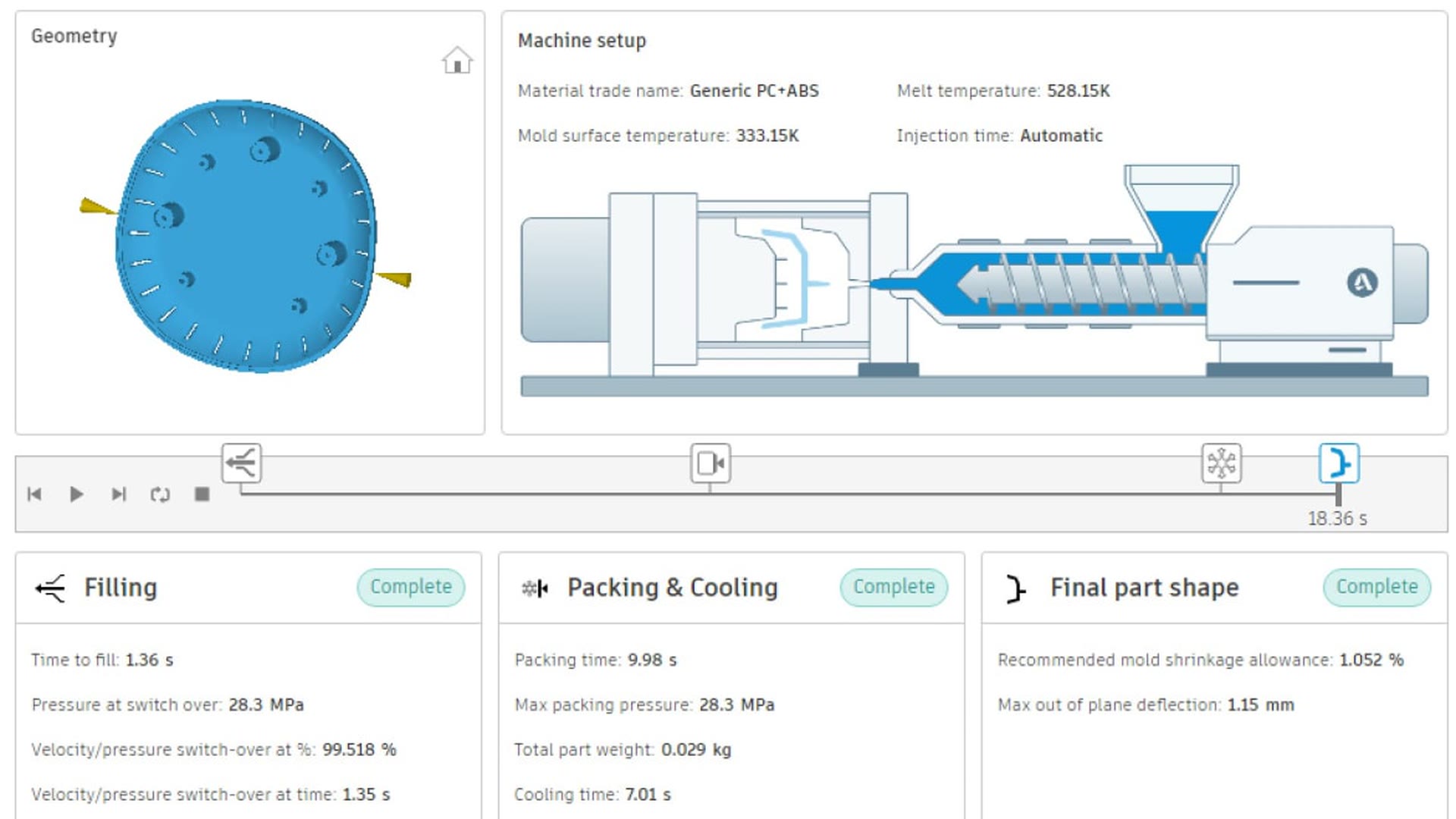
Moldflow simulates single and multi-cavity injection and compression molds so you can check part manufacturability, cooling channel layout, and material choice before committing to tooling.
- Fill, pack, cool, and warp analysis in one workflow
- Single-cavity and multi-cavity mold simulation
- Injection and compression molding processes
- Cloud, local, or remote solving for faster results
What you get with Moldflow
Predict fill, pack, cool, and warp
Run a mold cavity through its full molding cycle to catch short shots, sink marks, weld lines, and warpage before the tool gets cut.
Mold and process optimization
Model or import cooling and feed systems, then compare process settings to cut cycle time and reduce part defects.
Flexible solving power
Mesh and solve jobs locally, on a remote server, or in the cloud. Run several simulations at once to compare designs faster.
Advanced molding methods
Model gas-assisted, injection-compression, co-injection, and microcellular molding to find the right process for the part.
Shared Views collaboration
Share results, comments, and design recommendations with your team through cloud-connected devices, no file conversion needed.
Report Wizard
Generate a professional summary of your analysis model, settings, and results for design reviews and mold sign-off.
Key capabilities
- Predict mold cavity filling: See how resin fills, packs, cools, and deflects inside single or multi-cavity molds before you commit to a tool.
- Spot part defects early: Flag warpage, sink marks, weld lines, and other as-manufactured defects while the design is still easy to change.
- Connect design and analysis: Push geometry changes to and from Fusion, export CAD and results for post-processing, and keep design and simulation in sync.
- Scale simulation to the job: Solve on your workstation, a remote server, or a secured cloud, and run multiple studies at once to compare designs quickly.
Is Moldflow right for your team?
| Best for | Plastic injection and compression mold simulation: fill, pack, cool, and warp analysis |
|---|---|
| Platforms | Windows desktop, with cloud and remote solving options |
| Included | Mold filling, packing, cooling, and warpage analysis, plus the Report Wizard and Shared Views |
| File format | Imports native and neutral CAD formats; exports results for post-processing |
| Licensing | Annual or multi-year subscription, sold as Moldflow Adviser or Moldflow Insight |
| From DSI | Deployment help, certified training, and local technical support included |
A subscription is just the start
Buy Moldflow through DSI, an Autodesk Platinum Partner. Get deployment help, certified training, and support from specialists who use the software every day.

Frequently asked questions
What is Autodesk Moldflow used for?
Moldflow simulates plastic injection and compression molding so you can test part and mold designs before cutting steel. It predicts how the mold cavity fills, packs, cools, and deflects, and helps address warpage, cooling efficiency, material selection, and cycle time.
What is the difference between Moldflow Adviser and Moldflow Insight?
Moldflow Adviser is built for part and mold design engineers, giving manufacturability guidance through material flow, cooling, and warpage results. Moldflow Insight adds detailed analysis tools and automation for engineers and analysts running injection and compression molding studies.
Who uses Moldflow?
Part designers, mold engineers, and process engineers use Moldflow to validate designs before tooling starts. It fits any team producing injection-molded or compression-molded plastic parts, from consumer products to automotive components.
Does Moldflow work with my existing CAD models?
Yes. Moldflow imports CAD geometry to mesh and analyze, and can push geometry changes to and from Fusion so design and simulation stay in sync without manual file conversion.
How is Moldflow licensed and priced?
Moldflow is sold as an annual or multi-year subscription, in Adviser or Insight editions. Pricing depends on edition and term, so talk to DSI for a quote matched to your team and workflow.
Get in touch with our team today!
Talk to a DSI specialist about Moldflow licensing, bundles, and training built around how your team works.