
5-axis CAM software for complex subtractive, additive, and hybrid manufacturing. Programs mold, die, and aerospace parts with a full library of machining strategies and automatic collision avoidance.
- Autodesk Platinum Partner
- 30+ years in business
- US & CA support
Built for the parts other software can't touch
PowerMill handles the toolpath work that trips up general-purpose CAM: deep cavities, complex 5-axis surfaces, and unattended finishing runs. Strategy libraries and template-driven programming keep the process fast even as the geometry gets harder.
- Full library of 3- and 5-axis machining strategies
- Automatic collision and gouge avoidance
- Simulates and optimizes CNC machine and robot motion
- Toolpaths built for lights-out, unattended machining
What you get with PowerMill
Advanced 5-axis strategies
Program complex subtractive, high-rate additive, and hybrid manufacturing operations from one strategy library.
Rapid toolpath calculation
Cut programming time with fast toolpath generation and advanced editing tools.
Collision and gouge avoidance
Every toolpath checks itself against the machine and fixture before it reaches the floor.
Machine and robot simulation
Verify and optimize motion for CNC machines and industrial robots before you cut.
Surface finish toolpaths
Reduce manual polishing with toolpaths built for high-quality surface finishes.
Fusion-connected workflow
Move a model from Fusion into PowerMill for advanced 5-axis programming without starting over.
Key capabilities
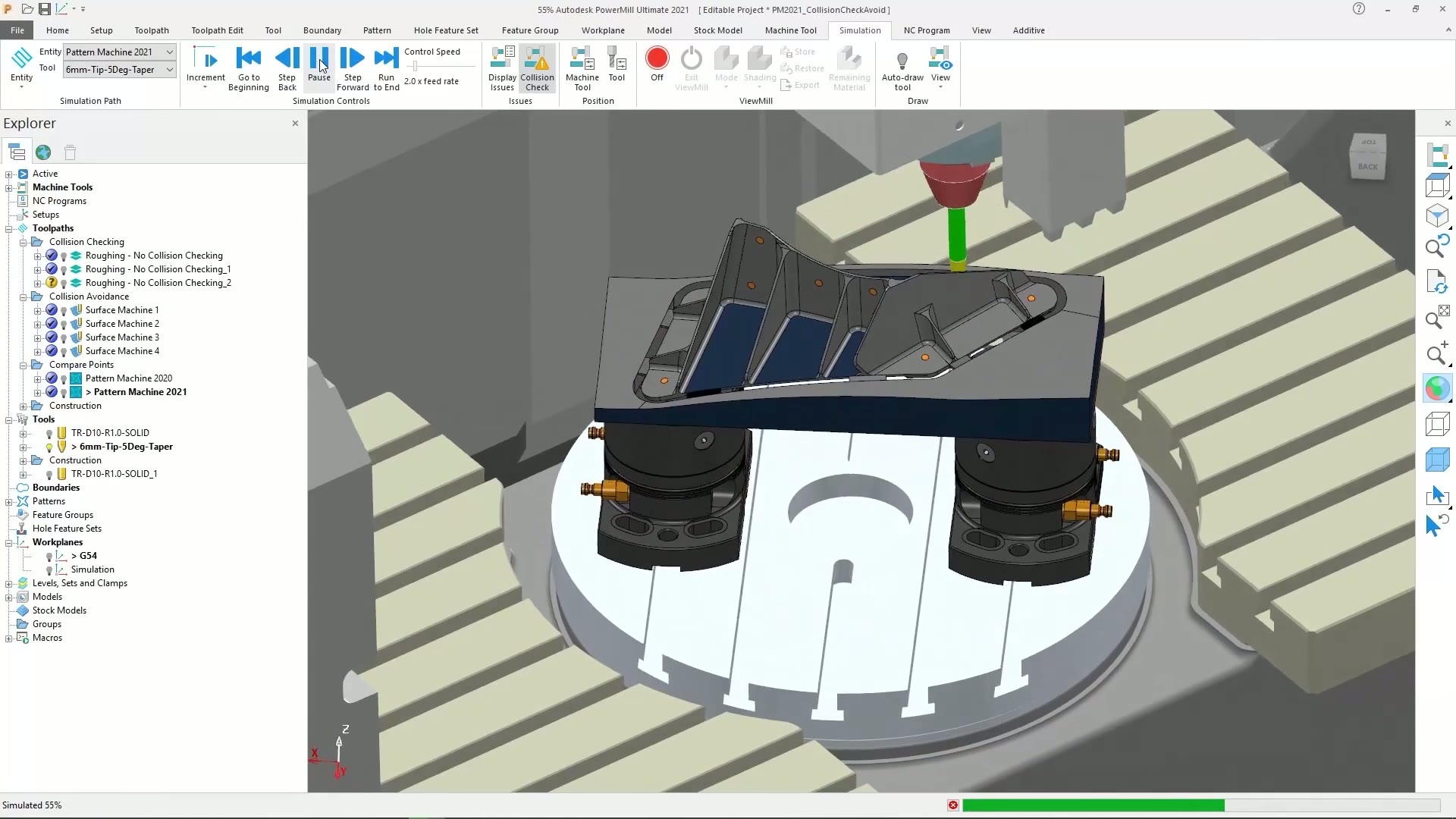
- Toolpath simulation: See exactly how the tool clears the part before it touches the machine, catching collisions and gouges on screen.
- Multi-axis roughing and finishing: Rough and finish complex 3D surfaces in the same strategy library, without switching tools mid-project.
- Machine tool verification: Simulate the full machine envelope, not just the toolpath, to confirm the setup works before it runs.
- Template-driven programming: Save proven strategies as templates and macros so repeat jobs program themselves.
Is PowerMill right for your team?
| Best for | 5-axis CAM programming for complex mold, die, and aerospace parts |
|---|---|
| Platform | Windows desktop |
| Included | Advanced toolpath strategies, collision avoidance, machine and robot simulation |
| File format | Native format, with STEP, IGES, and Parasolid support |
| Licensing | Annual or multi-year subscription |
| From DSI | Deployment help, certified training, and local technical support included |
A subscription is just the start
Buy PowerMill through DSI, an Autodesk Platinum Partner. Get deployment help, certified training, and support from specialists who use the software every day.

Get trained on PowerMill
Frequently asked questions
What is PowerMill best for?
Complex 3- and 5-axis machining: mold and die work, aerospace parts, and anything with deep cavities or difficult surfaces that need dedicated toolpath strategies.
Does PowerMill work with Fusion?
Yes. Autodesku2019s Fusion-PowerMill workflow lets you move a model from Fusion into PowerMill for advanced 5-axis programming, so design and complex CAM stay connected instead of living in separate files.
Can PowerMill program robots as well as CNC machines?
Yes. PowerMill simulates and optimizes motion for both CNC machines and industrial robots, so the same collision-checking and toolpath tools apply to robotic machining setups.
What training is available for PowerMill?
DSI runs Essentials/Intermediate, Advanced 5-Axis, Macros & Customization, and custom Robot training, live online with DSI-certified instructors.
Do I need PowerMill if I already use Fusion for CAM?
Fusionu2019s built-in CAM covers most everyday milling and turning. PowerMill adds dedicated 5-axis strategies, robot programming, and toolpath libraries built for the hardest parts on the floor.
Get in touch with our team today!
Talk to a DSI specialist about PowerMill licensing, bundles, and training built around how your team works.